Klaviyo
Klaviyo profile properties: campaign-ready reorder data
The nightly reotter_* profile properties — due products, buy-again usuals, personalized recommendations — and how to render them in any campaign or flow.
August 19, 2026
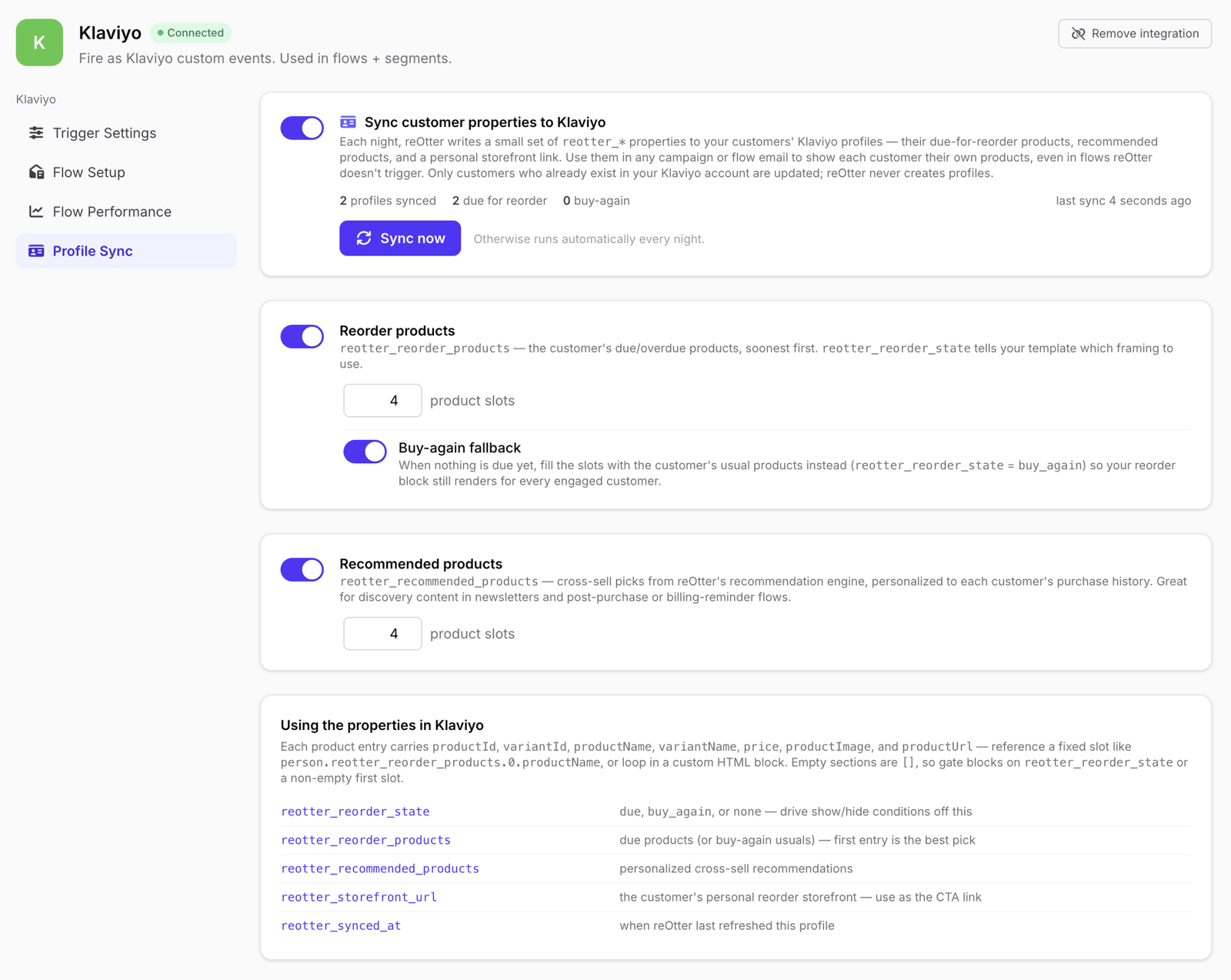
Nightly, reOtter refreshes a small set of reotter_* properties on each
recently-active customer's Klaviyo profile (recent purchasers plus active
subscribers). Because they live on the profile — not on an event — they
work anywhere: campaigns, and flows reOtter doesn't trigger, like a
subscription platform's billing reminder.
For reOtter-triggered flows, use the richer event payload instead: see Klaviyo event data. Rule of thumb: flows read the event, campaigns read the profile.
Only customers who already exist in your Klaviyo account are updated — reOtter never creates profiles.
The properties
| Property | Type | Contents |
|---|---|---|
reotter_reorder_state |
text | due, buy_again, or none — drive show/hide conditions off this |
reotter_reorder_products |
list | due/overdue products soonest-first when due; the customer's usual repeat products when buy_again; [] when none. First entry is the best pick |
reotter_recommended_products |
list | personalized cross-sell picks from reOtter's recommendation engine; [] when none |
reotter_storefront_url |
text | the customer's personal reorder storefront — the CTA link (attributed; no UTM params) |
reotter_synced_at |
text | when reOtter last refreshed this profile |
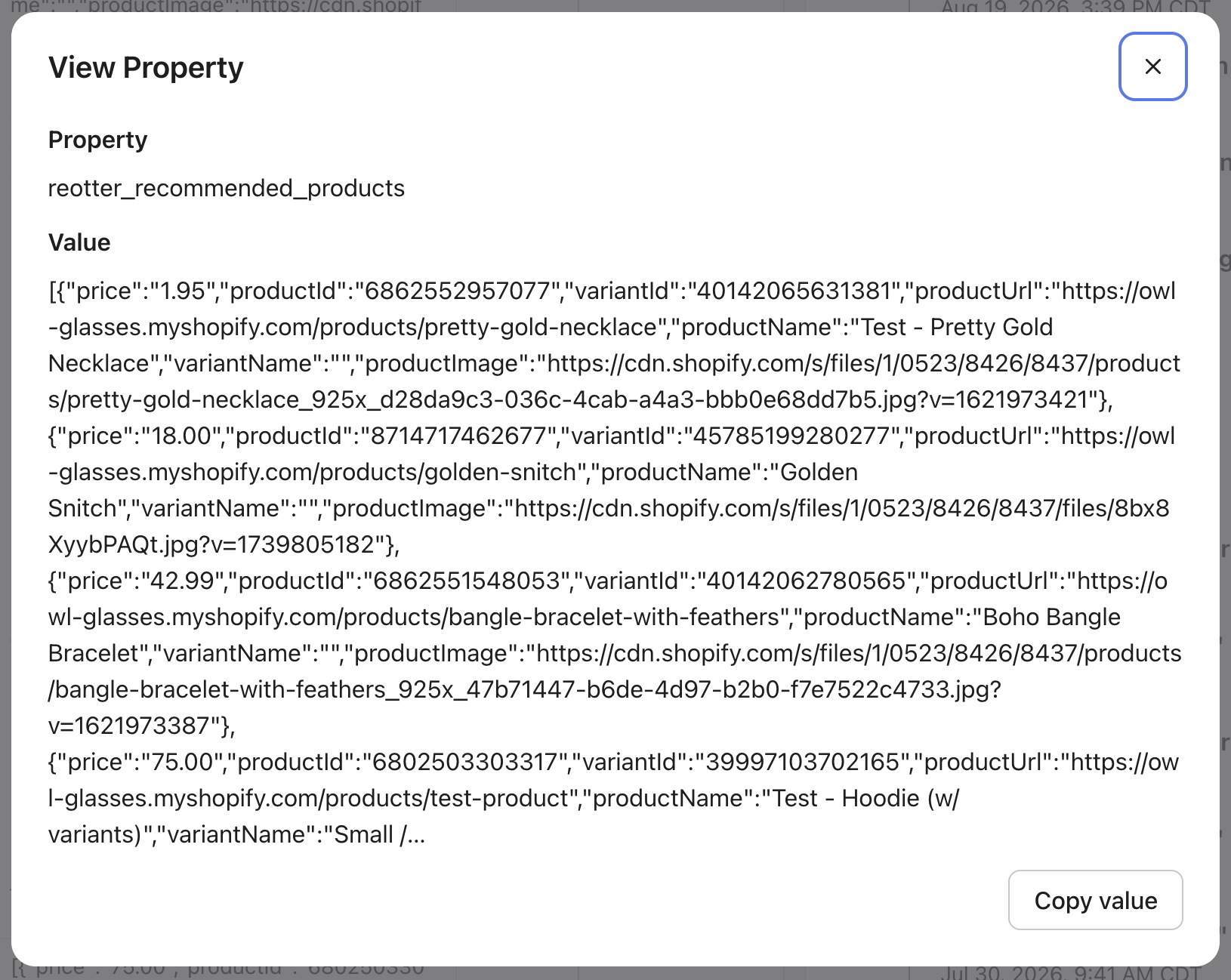
Product entries carry a lean seven-key card — every key always present:
productId, variantId, productName, variantName, price,
productImage, productUrl.
Where should clicks go?
Send clicks to reotter_storefront_url, not the individual productUrls.
The storefront link opens the customer's personal reorder page — the same due
products and recommendations they saw in the email, pre-organized and ready to
add to cart — and it carries attribution, so reOtter can measure what the
campaign actually drove. A productUrl is just the plain product page:
useful when a design genuinely needs a direct per-product link, but there's
no personalization and no attribution on the other side.
Slot counts (1–6 per section) and section toggles are configurable per store on the Profile Sync tab.
Here's what a synced property looks like on a Klaviyo profile —
reotter_recommended_products holding the card array:
Rendering option 1 — reOtter's fields directly (recommended)
Fixed slots in the drag-and-drop editor (index .0–.5):
Image src : {{ person.reotter_recommended_products.0.productImage }}
Text      : {{ person.reotter_recommended_products.0.productName }} — ${{ person.reotter_recommended_products.0.price }}
Button URL: {{ person.reotter_storefront_url }}
Or loop in a custom HTML block, with one storefront CTA under the grid:
{% for item in person.reotter_recommended_products %}
  <img src="{{ item.productImage }}" width="64">
  <p>{{ item.productName }} — ${{ item.price }}</p>
{% endfor %}
<a href="{{ person.reotter_storefront_url }}">Shop your picks</a>
This renders from data reOtter refreshed last night — zero dependency on Klaviyo's catalog state.
Rendering option 2 — native catalog lookup
Because entries carry both Shopify IDs, Klaviyo's own catalog tag also works:
{% catalog person.reotter_recommended_products.0.productId integration='shopify' %}
  <img src="{{ catalog_item.featured_image.full.src }}">
  {{ catalog_item.title }}
{% endcatalog %}
<a href="{{ person.reotter_storefront_url }}">Shop your picks</a>
Warning: a catalog lookup that can't resolve (product deleted or unpublished) makes Klaviyo skip the entire message. Guard with conditionals, or prefer option 1 for campaign sends.
Gating blocks (empty states)
- Reorder section: show/hide on
reotter_reorder_state(equals due, ordoes not equal noneto include buy-again). - Recommendations: condition on
reotter_recommended_products.0.productIdbeing set. - Framing:
due→ "ready to reorder";buy_again→ "stock up on your favorites."
Drop-in blocks
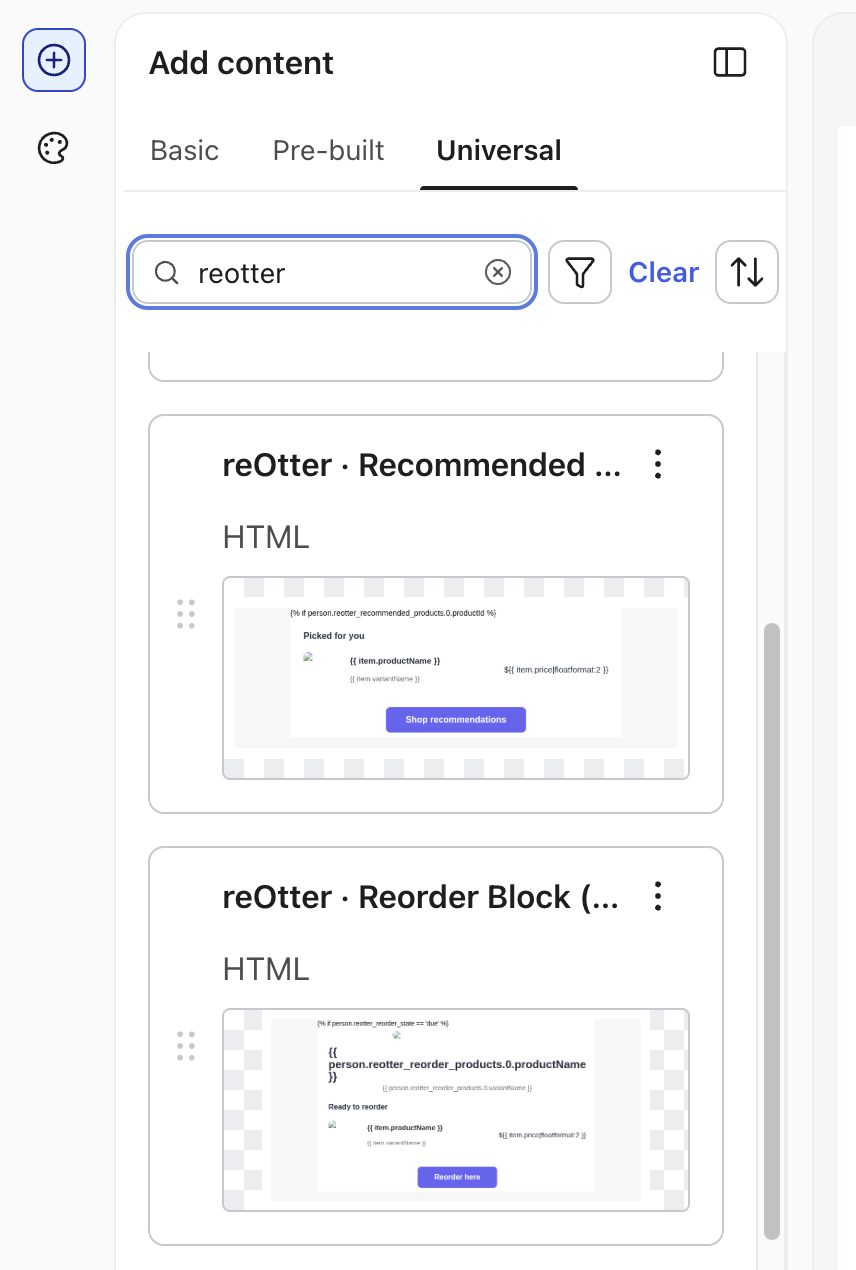
Prebuilt, self-guarding universal-content blocks — irrelevant sections collapse per recipient, so a brand-new customer simply sees nothing:
- reOtter · Smart Reorder (campaign) — due or buy-again framing, self-resolving
- reOtter · Reorder Due Only (campaign) — renders only for due customers
- reOtter · Recommended Products (campaign) — the personalized cross-sell grid
- reOtter · Reorder + Recommended (campaign) — both, stacked
Klaviyo's universal content has no per-insertion options — pick the variant
matching the campaign's intent, or "unlink and edit independently" to
customize a copy. The (flow) blocks bind event data and belong in
reOtter-triggered flows; the (campaign) blocks bind profile data and work
anywhere.
The logic inside each block (paste-able)
Prefer to hand-roll the layout, or start from the same logic in your own custom HTML block? Each drop-in reduces to a few lines of Klaviyo template code — copy, then style however you like.
Smart Reorder — due or buy-again framing, renders nothing for everyone else:
{% if person.reotter_reorder_state == 'due' or person.reotter_reorder_state == 'buy_again' %}
<h2>{% if person.reotter_reorder_state == 'due' %}Ready to reorder{% else %}Stock up on your favorites{% endif %}</h2>
{% for item in person.reotter_reorder_products %}
<img src="{{ item.productImage }}" alt="{{ item.productName }}" width="64">
<p>{{ item.productName }}{% if item.variantName %} — {{ item.variantName }}{% endif %} · ${{ item.price }}</p>
{% endfor %}
<a href="{{ person.reotter_storefront_url }}">{% if person.reotter_reorder_state == 'due' %}Reorder here{% else %}Shop your favorites{% endif %}</a>
{% endif %}
Reorder Due Only — the same section, gated to due customers only:
{% if person.reotter_reorder_state == 'due' %}
<h2>Ready to reorder</h2>
{% for item in person.reotter_reorder_products %}
<img src="{{ item.productImage }}" alt="{{ item.productName }}" width="64">
<p>{{ item.productName }}{% if item.variantName %} — {{ item.variantName }}{% endif %} · ${{ item.price }}</p>
{% endfor %}
<a href="{{ person.reotter_storefront_url }}">Reorder here</a>
{% endif %}
Recommended Products — collapses when the customer has no recommendations:
{% if person.reotter_recommended_products.0.productId %}
<h2>Picked for you</h2>
{% for item in person.reotter_recommended_products %}
<img src="{{ item.productImage }}" alt="{{ item.productName }}" width="64">
<p>{{ item.productName }}{% if item.variantName %} — {{ item.variantName }}{% endif %} · ${{ item.price }}</p>
{% endfor %}
<a href="{{ person.reotter_storefront_url }}">Shop recommendations</a>
{% endif %}
Reorder + Recommended is exactly the Smart Reorder section followed by the Recommended Products section — each guard fires independently, so any combination of the two renders per recipient.
Find them in Klaviyo's email editor under Add content → Universal — search "reotter":
Recipes
- Billing-reminder cross-sell (your subscription platform's flow, not
ours): add a
reotter_recommended_productsgrid to the billing-reminder template — discovery content for subscribers, refreshed nightly, no reOtter event needed. - Campaign personalization at scale: drop Smart Reorder (campaign) into every campaign — due customers get their reorder, engaged-but-not-due customers get their usuals, everyone else sees the campaign unchanged.
- Compliance note: the properties are pure data (no consent information) — your Klaviyo flow filters decide marketing vs transactional treatment, exactly as with any other content.
Building inside a reOtter-triggered flow? The event payload is richer: Klaviyo event data.